📊 2 MODALITÀScalping · Day TradingScalping · Day Trading · ottimizzate per ogni stile operativo 4 SEGNALI INDIPENDENTISuperTrendSuperTrend · EMA Cross · Parabolic SaRParabolic SaR · Trendline BreakoutTrendline Breakout 🔍 FILTRI SMART — SMA200 + SuperTrend filtrano i segnali falsi e operano solo nel trend principale 🎯 TAKE PROFIT TRIPLO — TP a Punti · TP a Valore · TP Limit su prezzo assoluto 🛡️ STOP AVANZATO — Stop Loss · Trailing Stop Classico · Trailing Dinamico con Break Even 💰 TARGET PROFIT / LOSS — Ferma automaticamente l'operatività al raggiungimento dell'obiettivo giornaliero 🔔 16 ALERT WEBHOOK JSON — Pronti per bot e automazioni: entry, exit profit, exit loss 📅 BACKTEST STORICO ILLIMITATO — Simula qualsiasi giorno dal 2000 al 2100 direttamente dagli input 📈 MULTI-MERCATO — Futures USA · Futures Europa · Azioni · Crypto · Forex · Indici · Commodities 📊 2 MODALITÀScalping · Day TradingScalping · Day Trading · ottimizzate per ogni stile operativo 4 SEGNALI INDIPENDENTI — SuperTrend · EMA Cross · Parabolic SaR · Trendline Breakout 🔍 FILTRI SMART — SMA200 + SuperTrend filtrano i segnali falsi e operano solo nel trend principale 🎯 TAKE PROFIT TRIPLO — TP a Punti · TP a Valore · TP Limit su prezzo assoluto 🛡️ STOP AVANZATO — Stop Loss · Trailing Stop Classico · Trailing Dinamico con Break Even 💰 TARGET PROFIT / LOSS — Ferma automaticamente l'operatività al raggiungimento dell'obiettivo giornaliero 🔔 16 ALERT WEBHOOK JSON — Pronti per bot e automazioni: entry, exit profit, exit loss 📅 BACKTEST STORICO ILLIMITATO — Simula qualsiasi giorno dal 2000 al 2100 direttamente dagli input 📈 MULTI-MERCATO — Futures USA · Futures Europa · Azioni · Crypto · Forex · Indici · Commodities
Bot Algo
BOT ALGO
▸ TradingView · Pine Script® v6 · Algoritmo Avanzato
Sistema di Trading Automatico Multi-Strategia
2📊 MODALITÀ📊 MODES
4⚡ SEGNALI⚡ SIGNALS
4🔍 FILTRI SMART🔍 SMART FILTERS
16🔔 ALERT JSON
📅 BACKTEST
📈 FUTURES📈 FUTURES 📊 INDICI📊 INDICES 🏦 AZIONI🏦 STOCKS ₿ CRYPTO 💱 FOREX 🛢 COMMODITIES
01
FLUSSO OPERATIVO
Come vengono elaborati i segnali
dall'indicatore all'alert
How signals are processed
from indicator to alert
1
📊
MODALITÀMODES
Scalping · Day TradingScalping · Day Trading
2
4 SEGNALI4 SIGNALS
ST · EMA · PSaR · BRKST · EMA · PSaR · BRK
3
🔍
FILTRIFILTERS
Nessuno · SMA · ST · EntrambiNone · SMA · ST · Both
4
FASCIA ORARIATIME WINDOW
Orario di operativitàTrading hours
5
🚦
SCELTA SEGNALISIGNAL CHOICE
BUY / SELL / BUY&SELLBUY / SELL / BUY&SELL
6
📥
APERTURA TRADETRADE OPEN
Prezzo · Qty · MediazionePrice · Qty · Averaging
7
💰
GESTIONE TRADETRADE MANAGEMENT
TP · SL · TS · TargetTP · SL · TS · Target
8
📤
CHIUSURA TRADETRADE CLOSE
P&L · CommissioniP&L · Commissions
9
🔔
ALERT JSONALERT JSON
Webhook · BotWebhook · Bot
10
🔬
SIM & BACKTESTSIM & BACKTEST
Giorno Specifico · StoricoSpecific Day · Historical
11
🛠️
STRUMENTIINSTRUMENTS
Futures USA · Europa · FusoFutures USA · Europe · Timezone
12
⚠️
MESSAGGIMESSAGES
Avvisi · CorrezioniWarnings · Corrections
⚠️  4 MODALITÀ DI FILTRO4 FILTER MODES (Passaggi 2 · 3 · 4): se non superati, il segnale viene scartato e nessun trade viene aperto(Steps 2 · 3 · 4): if not passed, the signal is discarded and no trade is opened
02
SCALPING vs DAY TRADING
La modalità cambia automaticamente in base ai parametri TP impostatiThe mode changes automatically based on the TP parameters set
🔨
SCALPING
TP a Valore ≤ 200 $/€TP by Value ≤ 200 $/€
TP a Punti ≤ 10 ptTP by Points ≤ 10 pt
TP > 0 — Chiude SOLO al TP impostato · Stop & Reverse— Closes ONLY at set TP · Stop & Reverse
📈
DAY TRADING
TP a Valore > 200 $/€TP by Value > 200 $/€
TP a Punti > 10 ptTP by Points > 10 pt oppure TP = 0
TP > 0 — Chiude SOLO al TP · Stop & Reverse— Closes ONLY at TP · Stop & Reverse
TP = 0Indicatori · S&R · SL · TS · Target · FasciaIndicators · S&R · SL · TS · Target · Window
LOGICA DI SELEZIONE AUTOMATICA (in ordine di prioritàin order of priority)
CONDIZIONECONDITIONRISULTATORESULT
TP Limit attivo (prezzo personalizzato)TP Limit active (custom price)📈 DAY TRADING
TP a Valore $/€ ≤ 200TP by Value $/€ ≤ 200🔨 SCALPING
TP a Valore $/€ > 200TP by Value $/€ > 200📈 DAY TRADING
TP a Punti ≤ 10 ptTP by Points ≤ 10 pt🔨 SCALPING
TP a Punti > 10 ptTP by Points > 10 pt📈 DAY TRADING
TP non impostato (TP Punti = 0 e TP Valore = 0)TP not set (TP Points = 0 and TP Value = 0)📈 DAY TRADING
03
4 SEGNALI
Quattro indicatori indipendenti
attivabili/disattivabili singolarmente
Four independent indicators
individually activatable/deactivatable
ST
SuperTrend
BUY S SELL S
ATR Length: 7 · ATR Multiplier: 4.0
Segue il trend usando la volatilità ATR. BUY quando il prezzo supera la linea, SELL quando la buca al ribasso.Follows the trend using ATR volatility. BUY when price breaks above the line, SELL when it breaks below.
EMA
EMA Cross 9/21EMA Cross 9/21
BUY E SELL E
EMA Veloce: 9 · EMA Lenta: 21
Golden Cross → BUY quando EMA 9 incrocia sopra EMA 21. Death Cross → SELL quando EMA 9 incrocia sotto EMA 21.Golden Cross → BUY when EMA 9 crosses above EMA 21. Death Cross → SELL when EMA 9 crosses below EMA 21.
PSaR
Parabolic SaR
BUY P SELL P
Start: 0.02 · Increment: 0.02 · Max: 0.2
Inversione di tendenza basata su punti parabolici. BUY quando il prezzo supera il punto SaR, SELL quando lo buca.Trend reversal based on parabolic points. BUY when price breaks above the SaR point, SELL when it breaks below.
BRK
Trendline Breakout
BUY B SELL B
Velocità Pivot: 8 (range 1-20)Pivot Speed: 8 (range 1-20)
Rottura dei massimi/minimi pivot. BUY su breakout del massimo, SELL su rottura del minimo.Breakout of pivot highs/lows. BUY on high breakout, SELL on low breakout.
🚦 SCELTA SEGNALI🚦 SIGNAL CHOICE
solo BUY ▲only BUY ▲
genera solo Longgenerates Long only
solo SELL ▼only SELL ▼
genera solo Shortgenerates Short only
BUY & SELL ▲▼
Stop & Reverse automaticoAutomatic Stop & Reverse
04
SISTEMA FILTRI
SMA 200 + SuperTrend
riducono i segnali falsi ammettendo entry solo nella direzione del trend principale
SMA 200 + SuperTrend
reduce false signals by allowing entries only in the main trend direction
⭕ NESSUN FILTRO⭕ NO FILTER
Tutti i segnali vengono accettati senza condizioni.
Operatività massima, nessun filtro di trend.
All signals are accepted without conditions.
Maximum activity, no trend filter.
1
📈 SOLO SMA 200📈 SMA 200 ONLY
BUY se prezzo > SMA 200BUY if price > SMA 200
SELL se prezzo < SMA 200SELL if price < SMA 200
Filtro semplice e rapido.
Nessuna attesa di conferma.
Simple and fast filter.
No confirmation wait.
2
🔁 SOLO SUPERTREND🔁 SUPERTREND ONLY
BUY se SuperTrend rialzistaBUY if SuperTrend bullish
SELL se SuperTrend ribassistaSELL if SuperTrend bearish
Filtro dinamico basato su ATR.
Si adatta alla volatilità.
Dynamic filter based on ATR.
Adapts to volatility.
3
🟡 ENTRAMBI — FLESSIBILE🟡 BOTH — FLEXIBLE
BUY se SMA + ST entrambi favorevoliBUY if SMA + ST both favorable
SELL se SMA + ST entrambi contrariSELL if SMA + ST both against
Controlla lo stato in qualsiasi momento.
Più reattivo, meno attesa.
Entry appena entrambi si allineano.
Checks state at any time.
More reactive, less waiting.
Entry as soon as both align.
4
🔵 ENTRAMBI — RIGIDA🔵 BOTH — STRICT
BUY: ST cambia → rialzista con prezzo > SMABUY: ST changes → bullish with price > SMA
SELL: ST cambia → ribassista con prezzo < SMASELL: ST changes → bearish with price < SMA
Attende il cambio di stato del SuperTrend.
Meno segnali, massima affidabilità.
Waits for SuperTrend state change.
Fewer signals, maximum reliability.
05
FASCIA ORARIA
Limita l'operatività a una finestra temporale precisa
obbligatoria per Target Profit/Loss, TP Limit e Mostra Fascia + Segnali
Limits operations to a precise time window
mandatory for Target Profit/Loss, TP Limit and Show Band + Signals
❌ DISATTIVATA❌ DISABLED
Il BOT opera H24 senza alcun limite di orario. I segnali vengono generati in qualsiasi momento del giorno, incluse ore notturne e pre-market.
⚠️ Senza fascia: Target Profit · Target Loss · TP Limit non sono disponibiliWithout window: Target Profit · Target Loss · TP Limit are not available
✅ ATTIVA✅ ACTIVE
I segnali vengono generati SOLO tra Ora Inizio e Ora Fine. Alla fine della fascia: se un trade è aperto viene chiuso automaticamente. Linee verticali verdi (inizio) e rosse (fine) vengono tracciate direttamente sul grafico.Vertical green (start) and red (end) lines are drawn directly on the chart.
Abilita: Target Profit · Target Loss · TP Limit · Mostra Fascia + SegnaliEnables: Target Profit · Target Loss · TP Limit · Show Band + Signals
ORA INIZIO
Il BOT attende questo orario prima di generare qualsiasi segnale. Prima di questo momento: nessuna operazione.The BOT waits for this time before generating any signal. Before this moment: no operations.
🔔
ORA FINE
Alla scadenza tutti i segnali si bloccano.
I trade aperti vengono chiusi automaticamente con registrazione P&L.
At expiry all signals are blocked.
Open trades are closed automatically with P&L recording.
📅
RESET GIORNALIERO
Ogni giorno a mezzanotte tutti i contatori e lo stato della fascia si resettano automaticamente per la nuova sessione.Every day at midnight all counters and the window state reset automatically for the new session.
⚠️  OBBLIGATORIA per:MANDATORY for:  Target Profit · Target Loss · TP Limit · Mostra Fascia + Segnali su Tutti i Giorni del GraficoShow Band + Signals on All Chart Days
06
MAX SEGNALI · MEDIAZIONE · PIRAMIDAZIONE
Controllo avanzato del numero di ingressi per singolo tradeAdvanced control of the number of entries per single trade
Max Segnali = 0∞ nessun limite∞ no limit
Max Segnali = Nmax N ingressi per trademax N entries per trade
📉
MEDIAZIONEAVERAGING
Trade in LOSSTrade in LOSS
Entry 1: 100 pt → qty 1
Entry 2: 98 pt → qty 1
Prezzo medio: 99 pt · TP/SL si ricalcolaAverage price: 99 pt · TP/SL recalculated
Nuovo segnale nella stessa direzione con trade in perdita.
Il BOT aggiorna automaticamente il prezzo medio.
New signal in the same direction with a losing trade.
The BOT automatically updates the average price.
📈
PIRAMIDAZIONEPYRAMIDING
Trade in PROFITTOTrade in PROFIT
Entry 1: 100 pt → qty 1
Entry 2: 105 pt → qty 1
Prezzo medio: 102.5 pt · amplifica i guadagniAverage price: 102.5 pt · amplifies gains
Aggiungo posizioni nella stessa direzione con trend forte.
Amplifica i guadagni nel momento giusto.
Adding positions in the same direction with a strong trend.
Amplifies gains at the right moment.
⚠️ In entrambi i casi il BOT aggiorna automaticamente: Prezzo Medio · Take Profit · Stop Loss · Trailing Stop · Etichette graficheIn both cases the BOT automatically updates: Average Price · Take Profit · Stop Loss · Trailing Stop · Chart Labels
07
TAKE PROFIT
3 Tipologie di uscita
Priorità: TP Limit > TP a Valore > TP a Punti
3 Exit types
Priority: TP Limit > TP by Value > TP by Points
📐
TP A PUNTITP BY POINTS
NESSUNA PRIORITÀNO PRIORITY
Chiude il trade quando il profitto raggiunge il numero di punti impostato.Closes the trade when profit reaches the set number of points.
📌 TP = 20 → chiude a +20 punti dal prezzo di ingresso📌 TP = 20 → closes at +20 points from entry price
💵
TP A VALORE
$/€
TP BY VALUE
$/€
HA PRIORITÀ SU TP A PUNTIPRIORITY OVER TP BY POINTS
Chiude quando il P&L monetario raggiunge l'importo impostato.Closes when monetary P&L reaches the set amount.
📌 TP = 50€ → chiude a +50€ dal prezzo di ingresso📌 TP = 50€ → closes at +50€ from entry price
🎯
TP LIMIT
(PREZZO ASSOLUTOABSOLUTE PRICE)
MAX PRIORITÀMAX PRIORITY
Chiude quando il prezzo raggiunge un livello assoluto prefissato. Una volta raggiunto →
il trading si FERMA per il resto della giornata.
Closes when price reaches a preset absolute level. Once reached →
trading STOPS for the rest of the day.
📌 solo BUY + TP Limit = 21.500 → chiude quando prezzo tocca 21.500📌 BUY only + TP Limit = 21.500 → closes when price hits 21.500
08
STOP LOSS & TRAILING STOP
Priorità a cascata: Trailing Dinamico > Trailing Classico > SL Valore > SL PuntiCascading priority: Dynamic Trailing > Classic Trailing > SL Value > SL Points
💸 STOP LOSS
A PUNTIBY POINTS
NESSUNA PRIORITÀNO PRIORITY
Chiude quando la perdita raggiunge N punti. Es: SL=20 → chiude a -20 puntiCloses when loss reaches N points. Ex: SL=20 → closes at -20 points
A VALORE $/€BY VALUE $/€
PRIORITÀ SU SL PUNTIPRIORITY OVER SL POINTS
Chiude quando la perdita raggiunge l'importo. Es: SL=100€ → chiude a -100€Closes when loss reaches the amount. Ex: SL=100€ → closes at -100€
🛡️ TRAILING STOP
CLASSICO  Punti FissiFixed Points
NESSUNA PRIORITÀNO PRIORITY
Stop fisso che segue il prezzo ad ogni tick. Es: TS=20 → stop sempre a -20 punti dal prezzo correnteFixed stop that follows price at each tick. Ex: TS=20 → stop always at -20 points from current price
DINAMICO · MODO A  (solo Break EvenBreak Even only)
PRIORITÀ SU CLASSICOPRIORITY OVER CLASSIC
(50 / 0 / 0)
Porta lo stop a pareggio dopo +50 punti di profitto.
Lo stop non si muove ulteriormente.
Brings stop to breakeven after +50 points of profit.
The stop does not move further.
DINAMICO · MODO B  (Break Even + MovimentoBreak Even + Movement)
MAX PRIORITÀMAX PRIORITY
(50 / 20 / 20)
Pareggio a +50 punti → poi avanza ogni +20 punti di prezzo di +20 punti → protegge il profitto crescente.Breakeven at +50 points → then advances every +20 price points by +20 points → protects growing profit.
09
TARGET PROFIT & LOSS
Fermano l'intera strategia al raggiungimento dell'obiettivo giornaliero
richiedono Fascia Oraria attiva
Stop the entire strategy when the daily target is reached
require active Time Window
💰 TARGET PROFIT💰 TARGET PROFIT
Il BOT calcola il profitto NETTO (guadagni - perdite - commissioni).
Quando raggiunge il valore impostato: chiude i trade aperti, mostra etichetta e ferma qualsiasi nuovo segnale fino al giorno successivo.
The BOT calculates NET profit (gains - losses - commissions).
When it reaches the set value: closes open trades, shows a label and stops any new signal until the next day.
📌 Target = 500€ → alle 17:42 il netto supera 500€ → tutto si ferma per oggi📌 Target = 500€ → at 17:42 net exceeds 500€ → everything stops for today
💸 TARGET LOSS
Il BOT calcola la perdita NETTA della sessione.
Quando la perdita netta supera il valore: chiude i trade aperti, mostra etichetta e ferma qualsiasi nuovo segnale per proteggere il capitale.
The BOT calculates the NET loss of the session.
When net loss exceeds the value: closes open trades, shows a label and stops any new signal to protect capital.
📌 Target Loss = 300€ → alle 16:15 la perdita netta tocca -300€ → tutto si ferma per oggi📌 Target Loss = 300€ → at 16:15 net loss hits -300€ → everything stops for today
Richiedono Fascia Oraria OBBLIGATORIAMENTE attiva · senza fascia il sistema si blocca con erroreRequire Time Window MANDATORILY active · without it the system stops with an error
🔀 Se entrambi attivi → il sistema reagisce al PRIMO evento raggiunto (profit o loss)If both active → the system reacts to the FIRST event reached (profit or loss)
📅 Si resettano automaticamente ogni giorno alla mezzanotteAutomatically reset every day at midnight
🧮 Il calcolo è NETTO: profitti lordi - perdite lorde - commissioni totali della sessioneThe calculation is NET: gross profits - gross losses - total commissions of the session
10
FUNZIONALITÀ GRAFICHE
Strumenti professionali integrati per l'operatività quotidianaIntegrated professional tools for daily operations
📊
GAP MERCATO CASHCASH MARKET GAP
Rileva i Gap di apertura tra chiusura precedente e apertura cash (15:30 USA / 9:00 Europa).
Mostra distanza residua in live.
Si cancella automaticamente quando il Gap viene chiuso.
Detects opening gaps between previous close and cash open (15:30 USA / 9:00 Europe).
Shows residual distance live.
Automatically clears when the Gap is closed.
🌙
GAP/LAP FUTURESFUTURES GAP/LAP
Rileva i Gap notturni Futures (pausa 16:00→17:00 CT).
Se l'apertura differisce dalla chiusura → traccia LAP UP o LAP DOWN.
Aggiorna distanza residua in live finché non colmato.
Detects overnight Futures gaps (pause 16:00→17:00 CT).
If open differs from close → draws LAP UP or LAP DOWN.
Updates residual distance live until filled.
📏
LINEE MIN/MAX GIORNALIERODAILY MIN/MAX LINES
Linee dinamiche di massimo (rosso) e minimo (verde) della sessione corrente.
Distanza tra i due estremi in punti con freccia direzionale.
Visibili anche nei giorni passati per analisi statistica.
Dynamic high (red) and low (green) lines of the current session.
Distance between the two extremes in points with directional arrow.
Also visible on past days for statistical analysis.
📋
4 TABELLE DINAMICHE LIVE4 LIVE DYNAMIC TABLES
Trend: SMA200 / ST / EMA / PSaR / BRK / Forza
Filtri: SMA e ST attivi (giallo/azzurro)
Strategia: TP / SL / TS / Stop&R / Target
Segnali: Q / Profit / Loss / Netto €
11
ALERT & WEBHOOK JSON
4 alert sonori + 12 alert tecnici automatici per bot e automazione4 sound alerts + 12 automatic technical alerts for bots and automation
🔔 4 ALERT SONORI🔔 4 SOUND ALERTS
🟢
ENTRY BUY
Segnale BUY accettato
trade long aperto
BUY signal accepted
long trade opened
🔴
ENTRY SELL
Segnale SELL accettato
trade short aperto
SELL signal accepted
short trade opened
💰
EXIT IN PROFIT
Qualsiasi chiusura in guadagnoAny close in profit
💸
EXIT IN LOSS
Qualsiasi chiusura in perditaAny close in loss
⚡ 12 ALERT WEBHOOK JSON⚡ 12 WEBHOOK JSON ALERTS
ENTRY (2)
📩 ENTRY BUY 📩 ENTRY SELL
EXIT PROFIT (5)
💰 EXIT x TP 💰 EXIT x TS 💰 EXIT x STOP & REVERSE 💰 EXIT x TARGET PROFIT 💰 EXIT x FINE FASCIA
EXIT LOSS (5)
💸 EXIT x SL 💸 EXIT x TS 💸 EXIT x STOP & REVERSE 💸 EXIT x TARGET LOSS 💸 EXIT x FINE FASCIA
🔄 Ogni alert JSON include: symbol · action · side · quantity · price
Pronto per integrazione con bot o servizi webhook
Every JSON alert includes: symbol · action · side · quantity · price
Ready for integration with bots or webhook services
12
SIMULAZIONE & BACKTEST STORICO
Analisi retroattiva precisa su qualsiasi giorno del passato
funzione esclusiva integrata negli input
Precise retroactive analysis on any day in the past
exclusive function integrated in inputs
🔬
SIMULAZIONE GIORNO SPECIFICOSPECIFIC DAY SIMULATION
Sezione 2
Input · Pine Script® v6
Section 2
Input · Pine Script® v6
Come funzionaHow it works
Attivando il toggle Abilita Simulazione Giorno Specifico,
il BOT filtra tutti i segnali mostrando SOLO quelli relativi alla data impostata.
By enabling the Enable Specific Day Simulation toggle,
the BOT filters all signals showing ONLY those related to the set date.
È possibile specificare giorno, mese e anno
qualsiasi data dal 2000 al 2100.
You can specify day, month and year
any date from 2000 to 2100.
Disattivando il toggle, il BOT torna alla modalità normale (operatività in tempo reale).By disabling the toggle, the BOT returns to normal mode (real-time operations).
Richiede la Fascia Oraria attiva per visualizzare correttamente le sessioni simulate.Requires the Time Window active to correctly display the simulated sessions.
ATTIVAACTIVE
Mostra segnali SOLO per il giorno selezionato
modalità backtest
Shows signals ONLY for the selected day
backtest mode
DISATTIVAINACTIVE
Torna alla modalità normale
operatività OGGI in tempo reale
Returns to normal mode
live operations TODAY in real time
▸ Parametri Input▸ Input Parameters
INPUT
abilitaFiltroData
bool · default: false
INPUT
giornoSim
int · min: 1 · max: 31
INPUT
meseSim
int · min: 1 · max: 12
INPUT
annoSim
int · min: 2000 · max: 2100

13
CAMBIO STRUMENTO
Verifica sempre questi 6 parametri prima di operare su un nuovo strumento finanziario
Tick/PT · Pt/Tick · Valore PT (x Tab) · Valore PT (x TP/SL) · Commissione · Valuta
Always verify these 6 parameters before trading a new financial instrument
Tick/PT · Pt/Tick · PT Value (x Tab) · PT Value (x TP/SL) · Commission · Currency
⚡ FUTURES USA⚡ USA FUTURES
STRUMENTOINSTRUMENTTICK/PTPT/TICKVALORE PT (TAB)PT VALUE (TAB)VALORE PT (TP/SL)PT VALUE (TP/SL)COMM. $COMM. $VALUTACURRENCY
Micro NQ (MNQ)40.252 $2 $1.24 $USD
E-mini NQ (NQ)40.2520 $20 $4.50 $USD
Micro S&P (MES)40.255 $5 $1.24 $USD
E-mini S&P (ES)40.2550 $50 $4.50 $USD
Crude Oil (CL)1000.011.000 $1.000 $4.46 $USD
Gold (GC)100.10100 $100 $4.44 $USD
🇪🇺 FUTURES EUROPA🇪🇺 EUROPE FUTURES
STRUMENTOINSTRUMENTPT/TICKTICK SIZEVALORE PT (TAB)PT VALUE (TAB)VALORE PT (TP/SL)PT VALUE (TP/SL)COMM. €COMM. €VALUTACURRENCY
DAX (FDAX)10.525 €25 €3.74 €EUR
Mini DAX115 €5 €1.72 €EUR
EuroStoxx 501110 €10 €2.00 €EUR
FMIB555 €5 €2.00 €EUR
Mini FMIB551 €1 €1.72 €EUR
14
FUSO ORARIO
Impostazione del fuso orario in base al broker e alla stagione
fondamentale per allineare correttamente la Fascia Oraria
Time zone setting based on broker and season
essential to correctly align the Time Window
Il parametro Fuso Orario indica lo scarto in ore tra l'orario del broker e l'orario italiano. Impostarlo correttamente è essenziale: un valore errato causa uno spostamento della fascia operativa e genera segnali negli orari sbagliati. Il valore cambia in base al broker (CME Chicago o EUREX UTC) e alla stagione
(ora legale / ora solare).
The Time Zone parameter indicates the hour offset between the broker's time and Italian time. Setting it correctly is essential: a wrong value shifts the operating window and generates signals at the wrong times. The value changes based on the broker (CME Chicago or EUREX UTC) and the season
(daylight saving / standard time).
CME · CHICAGO
🇺🇸 FUTURES USA — NQ · ES · CL · GC · MNQ · MES
7
VALORE STANDARDSTANDARD VALUE
Valore da usare come riferimento baseValue to use as base reference
6
PRIMAVERASPRING
USA ora legaleUSA daylight saving
Mar → Nov
8
AUTUNNOAUTUMN
USA ora solareUSA standard time
Nov → Mar
🕐 Sessione operativa standard: 15:30 → 22:00 ora italianaStandard operating session: 15:30 → 22:00 Italian time
EUREX · UTC
🇪🇺 FUTURES EUROPA🇪🇺 EUROPE FUTURES — FDAX · Mini DAX · EuroStoxx · FMIB
Il broker EUREX usa UTC come fuso base.
L'Italia si trova a UTC+1 (solare) o UTC+2 (legale).
The EUREX broker uses UTC as base timezone.
Italy is at UTC+1 (standard) or UTC+2 (daylight saving).
2
ORA LEGALEDAYLIGHT SAVING
Primavera / EstateSpring / Summer
Mar → Ott
1
ORA SOLARESTANDARD TIME
Autunno / InvernoAutumn / Winter
Ott → Mar
🕐 Sessione operativa standard: 08:00 → 17:30 ora italianaStandard operating session: 08:00 → 17:30 Italian time
⚠️  Fuso errato → la Fascia Oraria si sposta di conseguenza → segnali generati negli orari sbagliati
Verificare sempre prima di operare su un nuovo broker
⚠️  Wrong timezone → the Time Window shifts accordingly → signals generated at wrong times
Always verify before trading on a new broker
15
MESSAGGI DI ERROREERROR MESSAGES
Tutti i messaggi di avviso e correzione
il BOT mostra questi avvisi direttamente sul grafico TradingView
All warning and correction messages
the BOT shows these warnings directly on the TradingView chart
⚙️ Cambio Mercato / Strumento⚙️ Market / Instrument Change
⛔ Futures EUREX rilevato con impostazioni CME (Mercato = USA o Fuso ≥ 6)⛔ EUREX Futures detected with CME settings (Market = USA or Timezone ≥ 6) ✅ Sez. 8: Mercato = Europa · Sez. 15: Fuso = 2✅ Sec. 8: Market = Europe · Sec. 15: Timezone = 2
⛔ Futures CME rilevato con impostazioni EUREX (Mercato = Europa o Fuso ≤ 2)⛔ CME Futures detected with EUREX settings (Market = Europe or Timezone ≤ 2) ✅ Sez. 8: Mercato = USA · Sez. 15: Fuso = 7✅ Sec. 8: Market = USA · Sec. 15: Timezone = 7
⛔ Commodity rilevata con Gap Mercato Cash attivo
il simbolo non ha mercato cash
⛔ Commodity detected with Cash Market Gap active
the symbol has no cash market
✅ Sez. 8: Disattiva "Mostra Gap – Mercato Cash"✅ Sec. 8: Disable "Show Gap – Cash Market"
⛔ Strumento non riconosciuto
dati non compilati o ticker non confermato
⛔ Instrument not recognized
data not filled or ticker not confirmed
✅ Compilare i parametri strumento e confermare il ticker✅ Fill in instrument parameters and confirm the ticker
📅 Simulazione & Backtest📅 Simulation & Backtest
⛔ Giorno simulato non disponibile nel grafico (storico insufficiente / timeframe basso / giorno festivo)⛔ Simulated day not available on chart (insufficient history / low timeframe / holiday) ✅ Prova un timeframe più alto o verifica il giorno✅ Try a higher timeframe or verify the day
⛔ Mostra Fascia + Segnali su Tutti i Giorni attiva senza Fascia Oraria⛔ Show Band + Signals on All Days active without Time Window ✅ Abilitare la Fascia Oraria✅ Enable the Time Window
🛡️ Protezione Trade (Stop & Profit)🛡️ Trade Protection (Stop & Profit)
⛔ Nessun PROFIT impostato e nessuno STOP impostato
strategia priva di finalità 💀
⛔ No PROFIT set and no STOP set
strategy with no purpose 💀
✅ Imposta almeno un TP e uno SL / TS✅ Set at least one TP and one SL / TS
⛔ Nessuno STOP impostato (SL e TS assenti)
TP presente ma trade non protetto
⛔ No STOP set (SL and TS absent)
TP present but trade unprotected
✅ Imposta Stop Loss o Trailing Stop✅ Set Stop Loss or Trailing Stop
⛔ Nessun PROFIT impostato (TP e Target Profit assenti)
SL/TS presenti ma nessun obiettivo
⛔ No PROFIT set (TP and Target Profit absent)
SL/TS present but no target
✅ Imposta Take Profit o Target Profit✅ Set Take Profit or Target Profit
💰 Target Profit / Target Loss💰 Target Profit / Target Loss
⛔ Target Profit + Target Loss attivi senza Fascia Oraria⛔ Target Profit + Target Loss active without Time Window ✅ Attivare la Fascia Oraria✅ Enable the Time Window
⛔ Target Profit attivo senza Fascia Oraria⛔ Target Profit active without Time Window ✅ Attivare la Fascia Oraria✅ Enable the Time Window
⛔ Target Loss attivo senza Fascia Oraria⛔ Target Loss active without Time Window ✅ Attivare la Fascia Oraria✅ Enable the Time Window
🎯 TP Limit (Prezzo Assoluto)🎯 TP Limit (Absolute Price)
⛔ TP Limit attivo senza Fascia Oraria⛔ TP Limit active without Time Window ✅ Attivare la Fascia Oraria✅ Enable the Time Window
⛔ TP Limit attivo con BUY & SELL
modalità incompatibile
⛔ TP Limit active with BUY & SELL
incompatible mode
✅ Selezionare solo BUY oppure solo SELL✅ Select BUY only or SELL only
⛔ TP Limit attivo ma nessun prezzo inserito nel campo⛔ TP Limit active but no price entered in the field ✅ Inserire un prezzo nel campo TP Limit✅ Enter a price in the TP Limit field
⛔ BUY + prezzo TP Limit ≤ prezzo attuale
profitto impossibile
⛔ BUY + TP Limit price ≤ current price
profit impossible
✅ Inserire un prezzo SUPERIORE al corrente✅ Enter a price ABOVE the current one
⛔ SELL + prezzo TP Limit ≥ prezzo attuale
profitto impossibile
⛔ SELL + TP Limit price ≥ current price
profit impossible
✅ Inserire un prezzo INFERIORE al corrente✅ Enter a price BELOW the current one
⚠️ Tutti i messaggi di errore vengono visualizzati direttamente sul grafico TradingView
A CENTRO sinistra
con sfondo rosso e testo bianco
⚠️ All error messages are shown directly on the TradingView chart
CENTER left
with red background and white text
⚠️ All error messages are displayed directly on the TradingView chart
CENTER left
with red background and white text
Sistema di Trading Algoritmico Avanzato

BOT ALGO — ABBONAMENTI

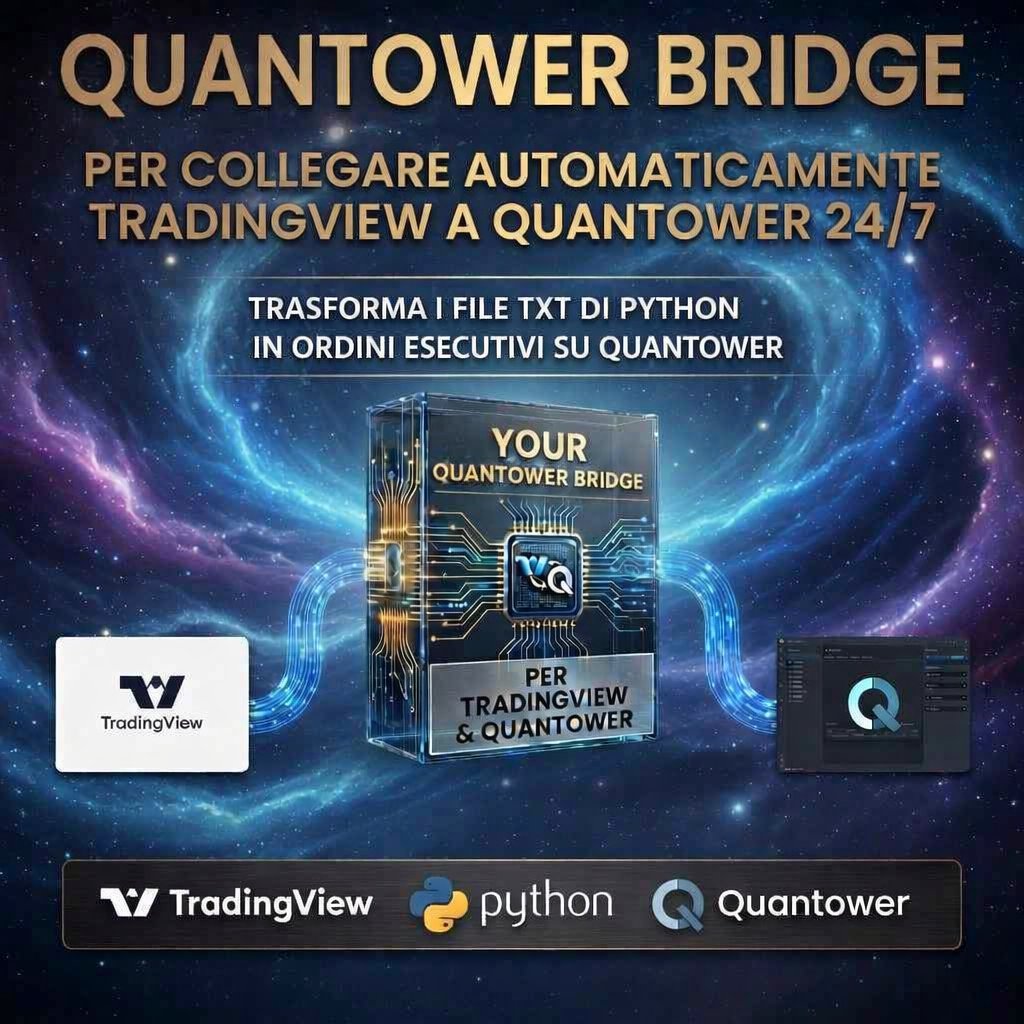
Il sistema professionale che collega TradingView, Python e Quantower
per eseguire operazioni automatiche sul mercato reale.
Ottimizza ogni giorno le impostazioni del bot con l'intelligenza artificiale.

TradingView Python Bridge Quantower Claude AI 8 Futures Supporto Illimitato
Advanced Algorithmic Trading System

BOT ALGO — SUBSCRIPTIONS

The professional system that connects TradingView, Python and Quantower
to execute automatic trades on real markets.
Optimize your bot settings every day with artificial intelligence.

TradingView Python Bridge Quantower Claude AI 8 Futures Unlimited Support

La Pipeline Completa

Quattro componenti integrati che lavorano insieme 24/7
per eseguire le tue strategie sul mercato reale.

The Full Pipeline

Four integrated components working together 24/7
to execute your strategies on real markets.

📊
BOT ALGO
Pine Script su TradingView
genera segnali
Pine Script on TradingView generates signals
🐍
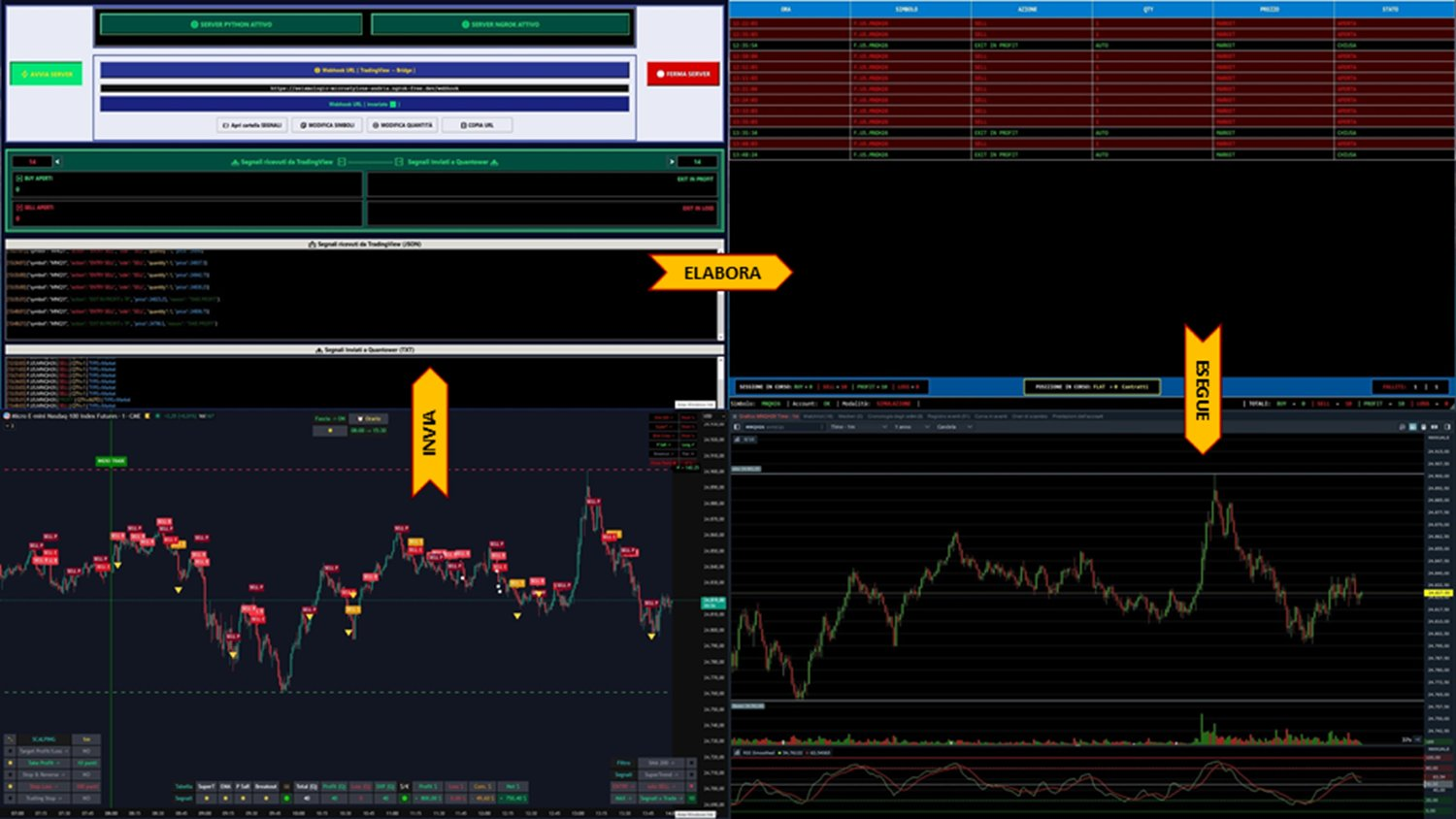
PYTHON BRIDGE
Converte alert JSON in file TXT
Converts JSON alerts to TXT files
QUANTOWER
Legge i file e invia ordini reali
Reads files and sends real orders
🤖
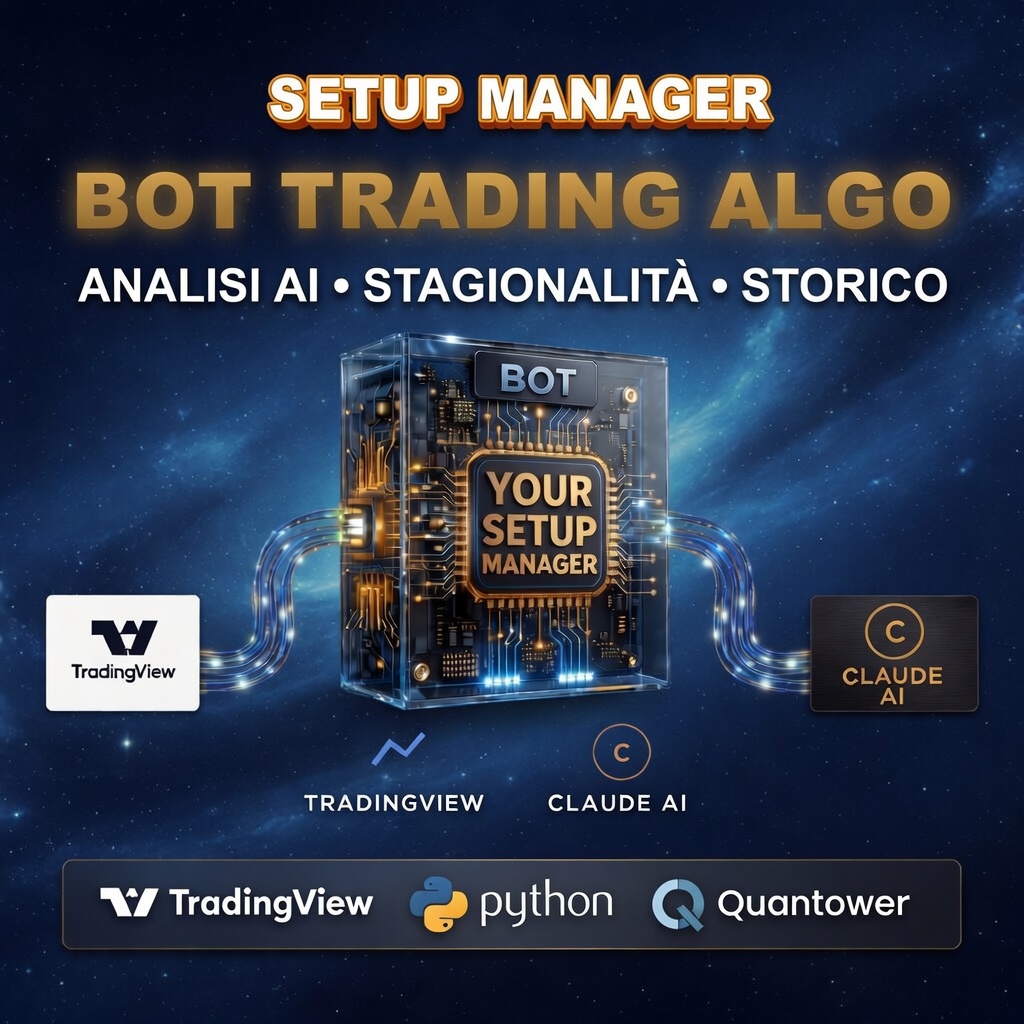
SETUP MANAGER
AI ottimizza le impostazioni
ogni giorno
AI optimizes settings every day

4 Strumenti Professionali

Ogni componente è progettato per funzionare in modo standalone
o come parte del sistema completo.

4 Professional Tools

Each component is designed to work standalone
or as part of the complete system.

01 / 04
BOT ALGO
TradingView
Il motore algoritmico che genera segnali di trading su TradingView con precisione millimetrica.The algorithmic engine that generates trading signals on TradingView with pinpoint precision.
  • Codice Pine Script completoComplete Pine Script code
  • Segnali BUY/SELL automaticiAutomatic BUY/SELL signals
  • Alert JSON configuratiPre-configured JSON alerts
  • Fascia oraria configurabile (es. 09:00–17:30 per filtrare sessioni)Configurable time window (e.g. 09:00–17:30 to filter trading sessions)
  • Filtro segnali integrato: evita entrate in mercati laterali o a basso volumeBuilt-in signal filter: avoids entries in sideways or low-volume markets
  • Mediazione e Piramidazione personalizzabili: definisci il numero di quantità che devono entrare in un trade per costruire posizioni graduali in tendenzaAveraging and Pyramiding customizable: define the number of quantities entering a trade to build gradual trend positions
02 / 04
PYTHON BRIDGE
TV → Quantower
Trasforma automaticamente gli alert JSON di TradingView in file TXT pronti per Quantower.Automatically transforms TradingView JSON alerts into TXT files ready for Quantower.
  • Script Python pronto all'usoReady-to-use Python script
  • Conversione JSON → TXTJSON → TXT conversion
  • Cartella condivisa automaticaAutomatic shared folder
  • Possibilità di rollare lo strumento: cambia il future attivo senza fermare lo scriptInstrument roll feature: switch the active future without stopping the script
  • Modifica quantità al volo: aggiorna i lotti per ogni segnale direttamente dal file di configLive quantity editing: update lots per signal directly from the config file
  • Visualizzazione ordini inviati: log in tempo reale con timestamp, direzione e stato esecuzioneSent orders view: real-time log with timestamp, direction and execution status
03 / 04
QUANTOWER BRIDGE
Esecuzione Reale
Legge i file TXT e invia ordini esecutivi reali al mercato tramite Quantower 24/7.Reads TXT files and sends real executive orders to the market via Quantower 24/7.
  • Configurazione QuantowerQuantower configuration
  • Esecuzione ordini liveLive order execution
  • Compatibile tutti i brokerCompatible with all brokers
  • GUI integrata per monitorare ordini inviati e ricevuti in tempo realeBuilt-in GUI to monitor sent and received orders in real time
  • Modalità simulazione e modalità live selezionabili dal pannello di controlloSimulation and live modes selectable from the control panel
  • Contatore ordini accettati e falliti con riepilogo sessione sempre visibileAccepted and failed order counter with always-visible session summary

8 Futures Inclusi

PDF di stagionalità storica per ogni strumento,
fondamentali per impostare il bot con il contesto di mercato corretto.

8 Futures Included

Historical seasonality PDFs for each instrument,
essential for setting up the bot with the correct market context.

🇺🇸
NASDAQ 100
+ Micro MNQ
🇺🇸
S&P 500
+ Micro MES
🇺🇸
RUSSELL 2000
+ Micro M2K
🇩🇪
DAX
Futures DE40
🇪🇺
EUROSTOXX 50
Futures ESTX50
🛢️
WTI CRUDE OIL
+ Micro MCL
🥇
GOLD
+ Micro MGC
BITCOIN
Futures BTC

Scegli il Tuo Piano

Acquista i singoli componenti o risparmia con il pacchetto completo.
Supporto illimitato incluso in tutti i piani.

Choose Your Plan

Buy individual components or save with the complete bundle.
Unlimited support included in all plans.

MENSILE MONTHLY
ANNUALE ANNUAL
Abbonamento Base
Base Plan
30
al mese
per month
  • Bot principale su TradingView (Accesso su Invito)Main Bot on TradingView (Invite Only)
  • Software Setup Manager (AI + Stagionalità)Setup Manager Software (AI + Seasonality)
  • Aggiornamenti automatici in tempo realeReal-time automatic updates
  • Assistenza base inclusaBasic support included
  • Prova gratuita 30 giorni30-day free trial

👉 Per chi vuole trading semi-automatico:
configura il bot con la tua strategia,
e lui genera i segnali,
che poi esegui manualmente sul tuo broker.
👉 For semi-automatic trading:
configure the bot with your strategy,
and it generates the signals,
which you then execute manually on your broker.

ABBONATI ORASUBSCRIBE NOW

🔄 Disdici quando vuoiCancel anytime

🏆 AUTOMAZIONE COMPLETA
🏆 FULL AUTOMATION
Abbonamento PRO
PRO Plan
40
al mese
per month
  • Tutto del piano BaseEverything in Base plan
  • Python Bridge — converte alert JSON → file .txt QuantowerPython Bridge — converts JSON alerts → Quantower .txt
  • Quantower Bridge — esecuzione ordini reali 24/7Quantower Bridge — real order execution 24/7
  • Aggiornamenti automatici in tempo realeReal-time automatic updates
  • Supporto illimitato prioritarioPriority unlimited support
  • Prova gratuita 30 giorni30-day free trial

👉 Per chi vuole trading completamente automatico:
il bot opera direttamente sul mercato via Quantower.

🔸 Quantower non è incluso: il trader deve già possederlo un conto presso un broker compatibile con Quantower.

🔸 Il bot esegue gli ordini tramite la nostra GUI che legge i file .txt generati dal bridge Python.

👉 For fully automatic trading:
the bot operates directly on the market via Quantower.

🔸 Quantower is not included: the trader must already own it and have an account with a broker compatible with Quantower.

🔸 The bot executes orders via our GUI that reads the .txt files generated by the Python bridge.

ABBONATI ORASUBSCRIBE NOW

🔄 Disdici quando vuoiCancel anytime

PIANOPLAN MENSILEMONTHLY ANNUALEANNUAL INCLUDEINCLUDES
Base €30 €300 Bot TradingView + Setup Manager + Trial 30 ggBot TradingView + Setup Manager + 30-day Trial
PRO €40 €400 Base + Python Bridge + Quantower Bridge + Trial 30 ggBase + Python Bridge + Quantower Bridge + 30-day Trial

💳 Pagamento sicuro via Lemon Squeezy — Carta di credito, PayPal 💳 Secure payment via Lemon Squeezy — Credit card, PayPal

Supporto Illimitato

Non sei mai solo.
Ogni acquisto include supporto illimitato per tutto il tempo necessario.
installazione, configurazione, ottimizzazione.
Rispondo su Telegram e via email.

Unlimited Support

You're never alone.
Every purchase includes unlimited support for as long as needed.
installation, configuration, optimization.
I respond on Telegram and via email.